
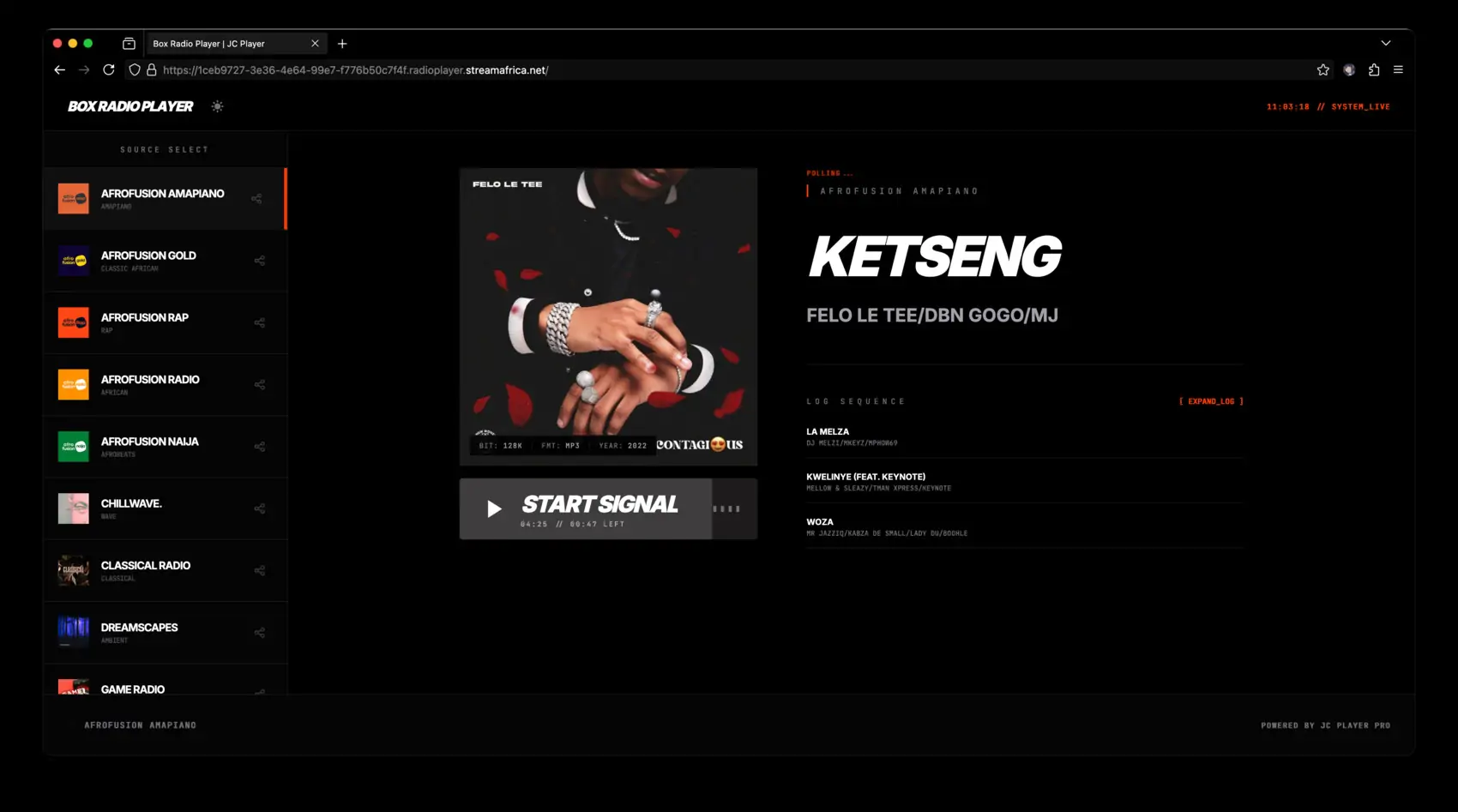
modern, responsive web-based radio player with a clean interface for streaming internet radio stations.

Clone the repository:
git clone https://github.com/joeyboli/radioplayer.git cd radioplayer
Configure your stream:
Launch:
All configurable values live at the top of js/script.js in a single CONFIG object:
const CONFIG = Object.freeze({ // ── Stream ────────────────────────────────────────────────── STREAM_URL: 'https://your-stream-url.com/stream', API_URL: 'https://your-metadata-api.com/endpoint', // ── Branding / fallbacks ───────────────────────────────────── STATION_NAME: 'My Radio Station', FALLBACK_TRACK: 'Live Broadcast', FALLBACK_ARTIST: 'My Station', FALLBACK_BITRATE: '128', FALLBACK_FORMAT: 'MP3', FALLBACK_ARTWORK: 'img/cover.png', // shown before metadata loads // ── Player UI labels ───────────────────────────────────────── LABEL_PLAY: 'PLAY', LABEL_STOP: 'STOP', // ── Audio ──────────────────────────────────────────────────── DEFAULT_VOLUME: 0.8, // 0.0 – 1.0 // ── Timings ────────────────────────────────────────────────── META_INTERVAL_MS: 15_000, // how often to poll metadata PROGRESS_INTERVAL_MS: 1_000, // progress bar update rate FETCH_TIMEOUT_MS: 8_000, // API request timeout // ── UI behaviour ───────────────────────────────────────────── HISTORY_COMPACT_COUNT: 3, // tracks shown in the main view COLOR_BRIGHTNESS_THRESHOLD: 125, // YIQ threshold for button text contrast // ── Image proxy ─────────────────────────────────────────────── IMG_PROXY: 'https://wsrv.nl/', });
The fallback values (FALLBACK_TRACK, FALLBACK_ARTIST, etc.) are shown automatically when the metadata API is unavailable or returns empty fields.
Want more features? JC Player Pro is available for $79 and includes:
Note: This is a hosted player service with full dashboard and API access. You are purchasing access to the JC Player Pro platform, not the source code.
Check out the player in action: View Demo
For questions, customisation requests, or integration help:
GNU Affero General Public License v3.0
This item is available for free download. You may download and use it according to the free item policy.


